Choosing a Planner
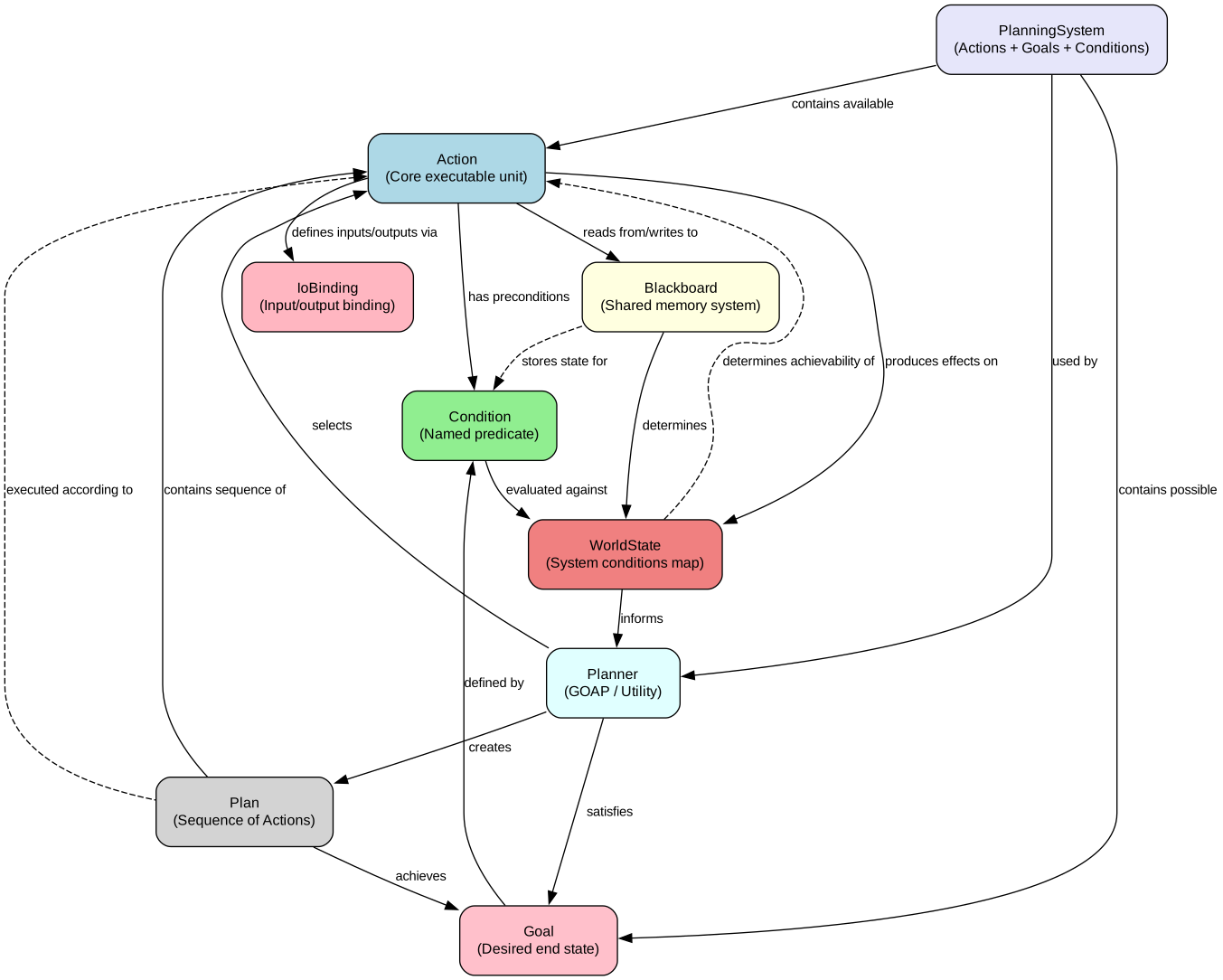
Embabel supports multiple planning strategies. Most are deterministic, but their behaviour differs—although it is always predictable.
All planning strategies are entirely typesafe in Java or Kotlin.
The planning strategies currently supported out of the box are:
| Planner | Best For | Description |
| --- | --- | --- |
| GOAP (default) | Business processes with defined outputs | Goal-oriented, deterministic planning. Plans a path from current state to goal using preconditions and effects. |
| Utility | Exploration and event-driven systems | Selects the highest-value available action at each step. Ideal when you don’t know the outcome upfront. |
| Hybrid | Reducer pipelines (gather many context-producing actions, run one synthesizer, stop) | Like Utility for action picking, but exits as soon as any registered goal is already satisfied. Pair an unsatisfiable goal (e.g. NIRVANA) with a real terminal goal: opportunistic research fires while research is profitable; the process completes the moment the real goal is reached. |
| Supervisor | Flexible multi-step workflows | LLM-orchestrated composition. An LLM selects which actions to call based on type schemas and gathered artifacts. |
As most of the documentation covers GOAP, this section discusses the alternative planners and nested workflows.
Utility AI
Section titled “Utility AI”Utility AI selects the action with the highest net value from all available actions at each step. Unlike GOAP, which plans a path to a goal, Utility AI makes greedy decisions based on immediate value.
Utility AI excels in exploratory scenarios where you don’t know exactly what you want to achieve. Consider a GitHub issue triage system: when a new issue arrives, you don’t have a predetermined goal. Instead, you want to react appropriately based on the issue’s characteristics—maybe label it, maybe respond, maybe escalate. The “right” action depends on what you discover as you process it.
This makes Utility AI ideal for scenarios where:
- There is no clear end goal—you’re exploring possibilities
- Multiple actions could be valuable depending on context
- You want to respond to changing conditions as they emerge
- The best outcome isn’t known upfront
When to Use Utility AI
Section titled “When to Use Utility AI”- Event-driven systems: React to incoming events (issues, stars, webhooks) with the most appropriate action
- Chatbots: Where the platform provides multiple response options and selects the best one
- Exploration: When you want to discover what’s possible rather than achieve a specific goal
Using Utility AI with @EmbabelComponent
Section titled “Using Utility AI with @EmbabelComponent”For Utility AI, actions are typically provided via @EmbabelComponent rather than @Agent.
This allows the platform to select actions across multiple components based on utility, rather than constraining actions to a single agent.
Here’s an example from the Shepherd project that reacts to GitHub events:
@EmbabelComponent  (1)public class IssueActions {
    private final ShepherdProperties properties;    private final CommunityDataManager communityDataManager;    private final GitHubUpdater gitHubUpdater;
    public IssueActions(ShepherdProperties properties,                        CommunityDataManager communityDataManager,                        GitHubUpdater gitHubUpdater) {        this.properties = properties;        this.communityDataManager = communityDataManager;        this.gitHubUpdater = gitHubUpdater;    }
    @Action(outputBinding = "ghIssue")  (2)    public GHIssue saveNewIssue(GHIssue ghIssue, OperationContext context) {        var existing = communityDataManager.findIssueByGithubId(ghIssue.getId());        if (existing == null) {            var issueEntityStatus = communityDataManager.saveAndExpandIssue(ghIssue);            context.add(issueEntityStatus);  (3)            return ghIssue;        }        return null;  (4)    }
    @Action(        pre = {"spel:newEntity.newEntities.?[#this instanceof T(com.embabel.shepherd.domain.Issue)].size() > 0"}  (5)    )    public IssueAssessment reactToNewIssue(GHIssue ghIssue, NewEntity<?> newEntity, Ai ai) {        return ai            .withLlm(properties.getTriageLlm())            .creating(IssueAssessment.class)            .fromTemplate("first_issue_response", Map.of("issue", ghIssue));  (6)    }
    @Action(pre = {"spel:issueAssessment.urgency > 0.0"})  (7)    public void heavyHitterIssue(GHIssue issue, IssueAssessment issueAssessment) {        // Take action on high-urgency issues    }}
@EmbabelComponent (1)class IssueActions( val properties: ShepherdProperties, private val communityDataManager: CommunityDataManager, private val gitHubUpdater: GitHubUpdater,) {
@Action(outputBinding = "ghIssue") (2) fun saveNewIssue(ghIssue: GHIssue, context: OperationContext): GHIssue? { val existing = communityDataManager.findIssueByGithubId(ghIssue.id) if (existing == null) { val issueEntityStatus = communityDataManager.saveAndExpandIssue(ghIssue) context += issueEntityStatus (3) return ghIssue } return null (4) }
@Action( pre = ["spel:newEntity.newEntities.?[#this instanceof T(com.embabel.shepherd.domain.Issue)].size() > 0"] (5) ) fun reactToNewIssue( ghIssue: GHIssue, newEntity: NewEntity<*>, ai: Ai ): IssueAssessment { return ai .withLlm(properties.triageLlm) .creating(IssueAssessment::class.java) .fromTemplate("first_issue_response", mapOf("issue" to ghIssue)) (6) }
@Action(pre = ["spel:issueAssessment.urgency > 0.0"]) (7) fun heavyHitterIssue(issue: GHIssue, issueAssessment: IssueAssessment) { // Take action on high-urgency issues }}@EmbabelComponentcontributes actions to the platform, not a specific agentoutputBindingnames the result for later actions to reference- Add entity status to context, making it available to subsequent actions
- Returning
nullprevents further actions from firing for this issue - SpEL precondition: only fire if new issues were created
- Use AI to assess the issue via a template
- This action only fires if the assessment shows urgency > 0
The platform selects which action to run based on:
- Which preconditions are satisfied (type availability + SpEL conditions)
- The
costandvalueparameters on@Action(net value = value - cost)
Action Cost and Value
Section titled “Action Cost and Value”The @Action annotation supports cost and value parameters (both 0.0 to 1.0):
@Action( cost = 0.1, (1) value = 0.8 (2))public Output highValueAction(Input input) { // Action implementation}@Action( cost = 0.1, (1) value = 0.8 (2))fun highValueAction(input: Input): Output { // Action implementation}- Cost to execute (0.0 to 1.0) - lower is cheaper
- Value when executed (0.0 to 1.0) - higher is more valuable
The Utility planner calculates net value as value - cost and selects the action with the highest net value from all available actions.
The Nirvana Goal
Section titled “The Nirvana Goal”Utility AI supports a special “Nirvana” goal that is never satisfied. This keeps the process running, continuously selecting the highest-value available action until no actions are available.
Extensibility
Section titled “Extensibility”Utility AI fosters extensibility.
For example, multiple groups within an organization can contribute their own @EmbabelComponent classes with actions that bring their own expertise to enhance behaviours around shared types, while retaining the ability to own and control their own extended model.
Utility and States
Section titled “Utility and States”Utility AI can combine with the @State annotation to implement classification and routing patterns.
This is particularly useful when you need to:
- Classify input into different categories at runtime
- Route processing through category-specific handlers
- Achieve different goals based on classification
The key pattern is:
- An entry action classifies input and returns a
@Statetype - Each
@Stateclass contains an@AchievesGoalaction that produces the final output - The
@AchievesGoaloutput is not a@Statetype (to prevent infinite loops)
Here’s an example of a ticket triage system that routes support tickets based on severity:
@Agent(    description = "Triage and process support tickets",    planner = PlannerType.UTILITY  (1))public class TicketTriageAgent {
    public record Ticket(String id, String description, String customerId) {}    public record ResolvedTicket(String id, String resolution, String handledBy) {}
    @State    public sealed interface TicketCategory permits CriticalTicket, BugTicket, GeneralTicket {}  (2)
    @Action    public TicketCategory triageTicket(Ticket ticket) {  (3)        if (ticket.description().toLowerCase().contains("down")) {            return new CriticalTicket(ticket);        } else if (ticket.description().toLowerCase().contains("bug")) {            return new BugTicket(ticket);        } else {            return new GeneralTicket(ticket);        }    }
    @State    public record CriticalTicket(Ticket ticket) implements TicketCategory {        @AchievesGoal(description = "Handle critical ticket with immediate escalation")  (4)        @Action        public ResolvedTicket handleCritical() {            return new ResolvedTicket(                ticket.id(),                "Escalated to on-call engineer",                "CRITICAL_RESPONSE_TEAM"            );        }    }
    @State    public record BugTicket(Ticket ticket) implements TicketCategory {        @AchievesGoal(description = "Handle bug report")        @Action        public ResolvedTicket handleBug() {            return new ResolvedTicket(                ticket.id(),                "Bug logged in issue tracker",                "ENGINEERING_TEAM"            );        }    }
@State public record GeneralTicket(Ticket ticket) implements TicketCategory { @AchievesGoal(description = "Handle general inquiry") @Action public ResolvedTicket handleGeneral() { return new ResolvedTicket( ticket.id(), "Response sent with FAQ links", "SUPPORT_TEAM" ); } }}@Agent( description = "Triage and process support tickets", planner = PlannerType.UTILITY (1))class TicketTriageAgent {
data class Ticket(val id: String, val description: String, val customerId: String) data class ResolvedTicket(val id: String, val resolution: String, val handledBy: String)
@State sealed interface TicketCategory (2)
@Action fun triageTicket(ticket: Ticket): TicketCategory { (3) return when { ticket.description.contains("down", ignoreCase = true) -> CriticalTicket(ticket) ticket.description.contains("bug", ignoreCase = true) -> BugTicket(ticket) else -> GeneralTicket(ticket) } }
@State data class CriticalTicket(val ticket: Ticket) : TicketCategory { @AchievesGoal(description = "Handle critical ticket with immediate escalation") (4) @Action fun handleCritical(): ResolvedTicket { return ResolvedTicket( id = ticket.id, resolution = "Escalated to on-call engineer", handledBy = "CRITICAL_RESPONSE_TEAM" ) } }
@State data class BugTicket(val ticket: Ticket) : TicketCategory { @AchievesGoal(description = "Handle bug report") @Action fun handleBug(): ResolvedTicket { return ResolvedTicket( id = ticket.id, resolution = "Bug logged in issue tracker", handledBy = "ENGINEERING_TEAM" ) } }
@State data class GeneralTicket(val ticket: Ticket) : TicketCategory { @AchievesGoal(description = "Handle general inquiry") @Action fun handleGeneral(): ResolvedTicket { return ResolvedTicket( id = ticket.id, resolution = "Response sent with FAQ links", handledBy = "SUPPORT_TEAM" ) } }}- Use
PlannerType.UTILITYfor opportunistic action selection - Sealed interface as the state supertype
- Entry action classifies and returns a
@Stateinstance - Each state has an
@AchievesGoalaction producing the final output
When a Ticket is processed:
- The
triageTicketaction classifies it into one of the state types - Entering a state clears other objects from the blackboard
- The Utility planner selects the
@AchievesGoalaction for that state - The goal is achieved when
ResolvedTicketis produced
This pattern works well when:
- Classification determines the processing path
- Each category has distinct handling requirements
- The final output type is the same across all categories
UtilityInvocation: Lightweight Utility Pattern
Section titled “UtilityInvocation: Lightweight Utility Pattern”For simple utility workflows, you don’t need to create an @Agent class.
UtilityInvocation provides a fluent API to run utility-based workflows directly from @EmbabelComponent actions.
UtilityInvocation.on(agentPlatform) .withScope(AgentScopeBuilder.fromInstances(issueActions, labelActions)) .run(new GHIssue(issueData));UtilityInvocation.on(agentPlatform) .withScope(AgentScopeBuilder.fromInstances(issueActions, labelActions)) .run(GHIssue(issueData))Configuration Options
Section titled “Configuration Options”UtilityInvocation supports several configuration methods:
| Method | Description |
| --- | --- |
| .withScope(AgentScopeBuilder) | Defines which actions are available |
| .withAgentName(String) | Sets a custom name for the created agent (defaults to platform name) |
| .withProcessOptions(ProcessOptions) | Configures process-level options |
| .terminateWhenStuck() | Adds early termination policy when no actions are available |
UtilityInvocation.on(agentPlatform) .withScope(AgentScopeBuilder.fromInstance(myActions)) .withAgentName("issue-triage-agent") .run(input);UtilityInvocation.on(agentPlatform) .withScope(AgentScopeBuilder.fromInstance(myActions)) .withAgentName("issue-triage-agent") .run(input)Hybrid
Section titled “Hybrid”The Hybrid planner combines Utility AI’s value-based action picking with goal-satisfaction termination — the “iterate then stop” mode. It exists for reducer-style pipelines where:
- You want to fire many opportunistic, context-producing actions (research lookups, KG queries, enrichment passes) in netValue order — like Utility AI.
- You then want a single synthesising action to run, producing a terminal result.
- You want the process to stop the moment that terminal result is on the blackboard, rather than continuing to fire low-value or negative-value leftover actions.
Why a Separate Planner
Section titled “Why a Separate Planner”GOAP minimises path cost to the goal; it skips opportunistic actions that aren’t on the cheapest plan, so research never fires. Pure Utility AI is greedy single-step; when paired with a satisfiable terminal goal it gives up at step 1 if no single action reaches the goal. Pure Utility AI paired with NIRVANA iterates beautifully but never terminates — it keeps picking actions even after your real goal is satisfied, burning compute on the way to nowhere.
Hybrid is the missing middle. It picks the highest-netValue achievable action each tick (so research happens) and checks “is the goal already satisfied?” before selecting an action (so termination is clean once a real goal is reached).
The Two-Goal Pattern
Section titled “The Two-Goal Pattern”The hybrid planner is designed to be used with two goals on the same agent:
- The real terminal goal — what success looks like (e.g.
attention-candidate-produced,report-generated). com.embabel.agent.core.support.NIRVANA— the framework’s pre-built unsatisfiable goal, which keeps Utility-style action picking alive while research is still profitable.
At each tick the planner generates one plan per goal. NIRVANA returns the highest-netValue achievable action as a 1-step plan. The real goal returns:
- An empty plan (
netValue = 0) if the goal is already satisfied — beats NIRVANA’s then-only-negative-value leftovers. - A 1-step plan if a single action reaches the goal.
nullotherwise.
The host process picks the highest-net-value plan across goals. While research is profitable, NIRVANA’s plan wins. The moment the real goal is satisfied, its empty plan wins and plan.isComplete() fires, terminating the process.
When to Use Hybrid
Section titled “When to Use Hybrid”- Per-signal triage pipelines that gather multiple context sources before a final assessment LLM call.
- Research-then-synthesise workflows where multiple actions contribute typed artifacts to a blackboard, and one final action consumes everything.
- Pack-extensible reducers where new opportunistic actions can be added without rewriting the synthesis step — their value alone gets them scheduled.
Use Utility AI without Hybrid when you genuinely want a long-running event loop with no terminal goal (chat surfaces, exploratory triage).
Use GOAP when you have strict typed-dependency ordering and don’t need opportunistic research.
Tuning Values
Section titled “Tuning Values”For the hybrid pattern to work as intended:
- Research actions (the opportunistic context producers) should have high net value so they win the picker race while their
canRerun=falseslot is still open. - The synthesiser (the final action that produces the terminal output) should have positive but lower net value. It wins after research is locked out.
- Wrap-up actions (those that lift a verdict into the goal output) should have value just above the synthesiser so they fire immediately after.
Once the wrap-up writes the terminal artifact, the real goal’s empty plan wins and the process exits — regardless of any remaining negative-value actions.
Using Hybrid
Section titled “Using Hybrid”import com.embabel.agent.core.Agentimport com.embabel.agent.core.Goalimport com.embabel.agent.core.IoBindingimport com.embabel.agent.core.support.NIRVANA
// Agent declares BOTH NIRVANA and the real goal.val agent = Agent( name = "per-signal-triage", provider = "example", version = "0.0.1", description = "Reducer pipeline: research → assess → wrap.", actions = listOf(/* … */), goals = setOf( NIRVANA, (1) Goal( (2) name = "attention-candidate-produced", description = "An AttentionCandidate has been produced.", inputs = setOf(IoBinding("attentionCandidate", AttentionCandidate::class.java.name)), outputType = null, ), ),)
// Process picks PlannerType.HYBRID.val process = agentPlatform.runAgentFrom( agent = agent, processOptions = ProcessOptions(plannerType = PlannerType.HYBRID), (3) bindings = signalBindings,)NIRVANAkeeps the iterate-by-netValue picking alive across multiple ticks; without it, the planner gives up at step 1 if no single action reaches the real goal.- The real terminal goal — what makes the process stop. Returns an empty plan once satisfied.
- Per-process opt-in via
ProcessOptions. The default (GOAP) is unchanged for other processes.
Difference from UTILITY
Section titled “Difference from UTILITY”| Scenario | UTILITY | HYBRID |
| --- | --- | --- |
| Real goal satisfied, no actions achievable | Empty plan (terminate) | Empty plan (terminate) |
| Real goal satisfied, other actions still achievable | Picks highest-netValue action and runs it | Empty plan (terminate) — the load-bearing fix |
| Real goal not satisfied, action reaches it in 1 step | 1-step plan | 1-step plan |
| Real goal not satisfied, no 1-step path | null (planner gives up) | null (planner gives up — paired NIRVANA handles iteration) |
| NIRVANA goal | Highest-netValue achievable action; null when nothing’s available | Identical to UTILITY semantics |
HYBRID is UTILITY with one extra check: if the real goal is already satisfied, return an empty plan regardless of what actions remain achievable. This is what enables clean termination of the two-goal pattern.
Supervisor
Section titled “Supervisor”The Supervisor planner uses an LLM to orchestrate actions dynamically. This is a popular pattern in frameworks like LangGraph and Google ADK, where a supervisor LLM decides which tools to call and in what order.
Type-Informed vs Type-Driven
Section titled “Type-Informed vs Type-Driven”A key design decision in supervisor architectures is how types relate to composition:
| Approach | Description |
| --- | --- |
| Type-Driven (GOAP) | Types constrain composition. An action requiring MarketData can only run after an action produces MarketData. This is deterministic but rigid. |
| Type-Informed (Supervisor) | Types inform composition. The LLM sees type schemas and decides what to call based on semantic understanding. This is flexible but non-deterministic. |
Embabel’s Supervisor planner takes the type-informed approach while maximizing the benefits of types:
- Actions return typed outputs that are validated
- The LLM sees type schemas to understand what each action produces
- Results are stored on the typed blackboard for later actions
- The same actions work with any planner (GOAP, Utility, or Supervisor)
This is a “typed supervisor” pattern—a middle ground between fully type-driven (GOAP) and untyped string-passing (typical LangGraph).
When to Use Supervisor
Section titled “When to Use Supervisor”Supervisor is appropriate when:
- Action ordering is context-dependent and hard to predefine
- You want an LLM to synthesize information across multiple sources
- The workflow benefits from flexible composition rather than strict sequencing
- Non-determinism is acceptable for your use case
Supervisor is not recommended when:
- You need reproducible, auditable execution paths
- Actions have strict dependency ordering that must be enforced
- Latency and cost matter (each decision requires an LLM call)
Using Supervisor
Section titled “Using Supervisor”To use Supervisor, annotate your agent with planner = PlannerType.SUPERVISOR and mark one action with @AchievesGoal:
@Agent(    planner = PlannerType.SUPERVISOR,    description = "Market research report generator")public class MarketResearchAgent {
    public record MarketDataRequest(String topic) {}    public record MarketData(Map<String, String> revenues, Map<String, Double> marketShare) {}
    public record CompetitorAnalysisRequest(List<String> companies) {}    public record CompetitorAnalysis(Map<String, List<String>> strengths) {}
    public record ReportRequest(String topic, List<String> companies) {}    public record FinalReport(String title, List<String> sections) {}
    @Action(description = "Gather market data including revenues and market share")  (1)    public MarketData gatherMarketData(MarketDataRequest request, Ai ai) {        return ai.withDefaultLlm().createObject(            "Generate market data for: " + request.topic(),            MarketData.class        );    }
    @Action(description = "Analyze competitors: strengths and positioning")    public CompetitorAnalysis analyzeCompetitors(CompetitorAnalysisRequest request, Ai ai) {        return ai.withDefaultLlm().createObject(            "Analyze competitors: " + String.join(", ", request.companies()),            CompetitorAnalysis.class        );    }
@AchievesGoal(description = "Compile all information into a final report") (2) @Action(description = "Compile the final report") public FinalReport compileReport(ReportRequest request, Ai ai) { return ai.withDefaultLlm().createObject( "Create a market research report for " + request.topic(), FinalReport.class ); }}@Agent( planner = PlannerType.SUPERVISOR, description = "Market research report generator")class MarketResearchAgent {
data class MarketDataRequest(val topic: String) data class MarketData(val revenues: Map<String, String>, val marketShare: Map<String, Double>)
data class CompetitorAnalysisRequest(val companies: List<String>) data class CompetitorAnalysis(val strengths: Map<String, List<String>>)
data class ReportRequest(val topic: String, val companies: List<String>) data class FinalReport(val title: String, val sections: List<String>)
@Action(description = "Gather market data including revenues and market share") (1) fun gatherMarketData(request: MarketDataRequest, ai: Ai): MarketData { return ai.withDefaultLlm().createObject( "Generate market data for: ${request.topic}" ) }
@Action(description = "Analyze competitors: strengths and positioning") fun analyzeCompetitors(request: CompetitorAnalysisRequest, ai: Ai): CompetitorAnalysis { return ai.withDefaultLlm().createObject( "Analyze competitors: ${request.companies.joinToString()}" ) }
@AchievesGoal(description = "Compile all information into a final report") (2) @Action(description = "Compile the final report") fun compileReport(request: ReportRequest, ai: Ai): FinalReport { return ai.withDefaultLlm().createObject( "Create a market research report for ${request.topic}" ) }}- Tool actions have descriptions visible to the supervisor LLM
- The goal action is called when the supervisor has gathered enough information
The supervisor LLM sees type schemas for available actions:
Available actions:- gatherMarketData(request: MarketDataRequest) -> MarketData    Schema: { revenues: Map, marketShare: Map }- analyzeCompetitors(request: CompetitorAnalysisRequest) -> CompetitorAnalysis    Schema: { strengths: Map }
Current artifacts on blackboard:- MarketData: { revenues: {"CompanyA": "$10B"}, marketShare: {...} }
Goal: FinalReport
The LLM decides action ordering based on this information, making informed decisions without being constrained by declared dependencies.
Interoperability
Section titled “Interoperability”Using wrapper request types (like MarketDataRequest) enables actions to work with any planner:
- GOAP: Request types flow through the blackboard based on preconditions/effects
- Utility: Actions fire when their request types are available with highest net value
- Supervisor: The LLM constructs request objects to call actions
This means you can switch planners without changing your action code—useful for testing with deterministic planners (GOAP) and deploying with flexible planners (Supervisor).
Comparison with LangGraph
Section titled “Comparison with LangGraph”LangGraph’s supervisor pattern is a popular approach for multi-agent orchestration. Here’s how a similar workflow looks in LangGraph vs Embabel:
from langgraph_supervisor import create_supervisorfrom langgraph.prebuilt import create_react_agent
# Tools return strings - no type informationdef gather_market_data(topic: str) -> str:    """Gather market data for a topic."""    return f"Revenue data for {topic}..."  (1)
def analyze_competitors(companies: str) -> str:    """Analyze competitors."""    return f"Analysis of {companies}..."  (1)
# Create agents with toolsresearch_agent = create_react_agent(    model="openai:gpt-4o",    tools=[gather_market_data, analyze_competitors],    name="research_expert",)
# Supervisor sees all tools, always  (2)workflow = create_supervisor([research_agent], model=model)app = workflow.compile()
# State is a dict of messages (3)result = app.invoke({"messages": [{"role": "user", "content": "Research cloud market"}]})- Tools return strings—the LLM must parse and interpret results
- All tools always visible—no filtering based on context
- State is untyped message history
@Agent(planner = PlannerType.SUPERVISOR)public class MarketResearchAgent {
    // Tools return typed objects with schemas  (1)    @Action(description = "Gather market data for a topic")    public MarketData gatherMarketData(MarketDataRequest request, Ai ai) {        return ai.withDefaultLlm().createObject(            "Generate market data for " + request.topic(), MarketData.class);    }
    @Action(description = "Analyze competitors")    public CompetitorAnalysis analyzeCompetitors(CompetitorAnalysisRequest request, Ai ai) {        return ai.withDefaultLlm().createObject(            "Analyze " + request.companies(), CompetitorAnalysis.class);    }
    @AchievesGoal    @Action    public FinalReport compileReport(ReportRequest request, Ai ai) { ... }}
// State is a typed blackboard (2)// Tools are filtered based on available inputs (3)@Agent(planner = PlannerType.SUPERVISOR)class MarketResearchAgent {
// Tools return typed objects with schemas (1) @Action(description = "Gather market data for a topic") fun gatherMarketData(request: MarketDataRequest, ai: Ai): MarketData { return ai.withDefaultLlm().createObject("Generate market data for ${request.topic}") }
@Action(description = "Analyze competitors") fun analyzeCompetitors(request: CompetitorAnalysisRequest, ai: Ai): CompetitorAnalysis { return ai.withDefaultLlm().createObject("Analyze ${request.companies}") }
@AchievesGoal @Action fun compileReport(request: ReportRequest, ai: Ai): FinalReport { ... }}
// State is a typed blackboard (2)// Tools are filtered based on available inputs (3)- Tools return typed, validated objects—
MarketData,CompetitorAnalysis - Blackboard holds typed artifacts, not just message strings
- Tools with satisfied inputs are prioritized via currying
Key Advantages
Section titled “Key Advantages”Embabel’s Supervisor offers several advantages over typical supervisor implementations:
| Aspect | Typical Supervisor (LangGraph) | Embabel Supervisor | | --- | --- | --- | | Output Types | Strings—LLM must parse | Typed objects—validated and structured | | Tool Visibility | All tools always available | Tools filtered by blackboard state (currying) | | Domain Awareness | None—tools are opaque functions | Type schemas visible to LLM | | Determinism | Fully non-deterministic | Semi-deterministic: tool availability constrained by types | | State | Untyped message history | Typed blackboard with named artifacts |
Blackboard-Driven Tool Filtering
Section titled “Blackboard-Driven Tool Filtering”A key differentiator is curried tool filtering. When an action’s inputs are already on the blackboard, those parameters are “curried out”—the tool signature simplifies.
# Initial state: empty blackboardAvailable tools:- gatherMarketData(request: MarketDataRequest) -> MarketData- analyzeCompetitors(request: CompetitorAnalysisRequest) -> CompetitorAnalysis
# After MarketData is gathered:Available tools:- gatherMarketData(request: MarketDataRequest) -> MarketData  [READY - 0 params needed]- analyzeCompetitors(request: CompetitorAnalysisRequest) -> CompetitorAnalysis
This reduces the LLM’s decision space and guides it toward logical next steps—tools with satisfied inputs appear “ready” with fewer parameters. This is more deterministic than showing all tools equally, while remaining more flexible than GOAP’s strict ordering.
Semi-Determinism
Section titled “Semi-Determinism”While still LLM-orchestrated, Embabel’s Supervisor is more deterministic than typical implementations:
- Type constraints: Actions can only produce specific types—no arbitrary string outputs
- Input filtering: Tools unavailable until their input types exist
- Schema guidance: LLM sees what each action produces, not just descriptions
- Validated outputs: Results must conform to declared types
This makes debugging easier and behaviour more predictable, while retaining the flexibility that makes supervisor patterns valuable.
When Embabel’s Approach Excels
Section titled “When Embabel’s Approach Excels”- Domain-rich workflows: When your domain has clear types (reports, analyses, forecasts), schemas help the LLM understand relationships
- Multi-step synthesis: When actions build on each other’s outputs, typed blackboard tracks progress clearly
- Hybrid determinism: When you want more predictability than pure LLM orchestration but more flexibility than GOAP
SupervisorInvocation: Lightweight Supervisor Pattern
Section titled “SupervisorInvocation: Lightweight Supervisor Pattern”For simple supervisor workflows, you don’t need to create an @Agent class.
SupervisorInvocation provides a fluent API to run supervisor-orchestrated workflows directly from @EmbabelComponent actions.
This is ideal when:
- You have a small set of related actions in an
@EmbabelComponent - You want LLM-orchestrated composition without creating a full agent
- You’re prototyping or exploring supervisor patterns before committing to a full agent design
Example: Meal Preparation Workflow
Section titled “Example: Meal Preparation Workflow”Here’s a complete example from the embabel-agent-examples repository:
@EmbabelComponentpublic class Stages {
    public record Cook(String name, int age) {}
    public record Order(String dish, int quantity) {}
    public record Meal(String dish, int quantity, String orderedBy, String cookedBy) {}
    @Action    public Cook chooseCook(UserInput userInput, Ai ai) {        return ai.withAutoLlm().createObject(                """                From the following user input, choose a cook.                User input: %s                """.formatted(userInput),                Cook.class        );    }
    @Action    public Order takeOrder(UserInput userInput, Ai ai) {        return ai.withAutoLlm().createObject(                """                From the following user input, take a food order                User input: %s                """.formatted(userInput),                Order.class        );    }
@Action @AchievesGoal(description = "Cook the meal according to the order") public Meal prepareMeal(Cook cook, Order order, UserInput userInput, Ai ai) { // The model will get the orderedBy from UserInput return ai.withAutoLlm().createObject( """ Prepare a meal based on the cook and order details and target customer Cook: %s, age %d Order: %d x %s User input: %s """.formatted(cook.name(), cook.age(), order.quantity(), order.dish(), userInput.getContent()), Meal.class ); }}@EmbabelComponentclass Stages {
data class Cook(val name: String, val age: Int)
data class Order(val dish: String, val quantity: Int)
data class Meal(val dish: String, val quantity: Int, val orderedBy: String, val cookedBy: String)
@Action fun chooseCook(userInput: UserInput, ai: Ai): Cook { return ai.withAutoLlm().createObject( """ From the following user input, choose a cook. User input: $userInput """.trimIndent() ) }
@Action fun takeOrder(userInput: UserInput, ai: Ai): Order { return ai.withAutoLlm().createObject( """ From the following user input, take a food order User input: $userInput """.trimIndent() ) }
@Action @AchievesGoal(description = "Cook the meal according to the order") fun prepareMeal(cook: Cook, order: Order, userInput: UserInput, ai: Ai): Meal { // The model will get the orderedBy from UserInput return ai.withAutoLlm().createObject( """ Prepare a meal based on the cook and order details and target customer Cook: ${cook.name}, age ${cook.age} Order: ${order.quantity} x ${order.dish} User input: ${userInput.content} """.trimIndent() ) }}Stages stages = new Stages();
Meal meal = SupervisorInvocation.on(agentPlatform) .returning(Stages.Meal.class) .withScope(AgentScopeBuilder.fromInstance(stages)) .invoke(new UserInput(request));val stages = Stages()
val meal = SupervisorInvocation.on(agentPlatform) .returning(Stages.Meal::class.java) .withScope(AgentScopeBuilder.fromInstance(stages)) .invoke(UserInput(request))Configuration Options
Section titled “Configuration Options”SupervisorInvocation supports several configuration methods:
| Method | Description |
| --- | --- |
| .returning(Class) | Specifies the goal type to produce |
| .withScope(AgentScopeBuilder) | Defines which actions are available |
| .withAgentName(String) | Sets a custom name for the created agent (defaults to {platformName}.supervisor) |
| .withGoalDescription(String) | Provides a custom description for the goal |
| .withProcessOptions(ProcessOptions) | Configures process-level options |
SupervisorInvocation.on(agentPlatform) .returning(Report.class) .withScope(AgentScopeBuilder.fromInstance(actions)) .withAgentName("market-research-supervisor") .invoke(request);SupervisorInvocation.on(agentPlatform) .returning(Report::class.java) .withScope(AgentScopeBuilder.fromInstance(actions)) .withAgentName("market-research-supervisor") .invoke(request)The supervisor LLM sees:
- Available actions with their type signatures and schemas
- Current artifacts on the blackboard (including
UserInputcontent) - Goal to produce a
Meal
It then orchestrates the actions—calling chooseCook and takeOrder (possibly in parallel), then prepareMeal when the dependencies are satisfied.
Key Design Points
Section titled “Key Design Points”- Actions use UserInput explicitly: Each action receives
UserInputand includes it in the LLM prompt, ensuring the actual user request is used. - @AchievesGoal marks the target: The
prepareMealaction is marked with@AchievesGoalto indicate it produces the final output. - Type-driven dependencies:
prepareMealrequiresCookandOrder, which guides the supervisor’s orchestration.
SupervisorInvocation vs @Agent with planner = SUPERVISOR
Section titled “SupervisorInvocation vs @Agent with planner = SUPERVISOR”| Aspect | SupervisorInvocation | @Agent(planner = SUPERVISOR) |
| --- | --- | --- |
| Declaration | Fluent API, no class annotation | Annotated agent class |
| Action source | @EmbabelComponent or multiple components | Single @Agent class |
| Best for | Quick prototypes, simple workflows | Formalized, reusable agents |
| Goal specification | .returning(Class) fluent method | @AchievesGoal on action |
| Scope | Explicit via AgentScopeBuilder | Implicit from agent class |
Comparison with AgenticTool
Section titled “Comparison with AgenticTool”Both SupervisorInvocation and AgenticTool provide LLM-orchestrated composition, but at different levels:
| Aspect | AgenticTool | SupervisorInvocation |
| --- | --- | --- |
| Level | Tool (can be used within actions) | Invocation (runs a complete workflow) |
| Sub-components | Other Tool instances | @Action methods from @EmbabelComponent |
| Output | Tool.Result (text, artifact, or error) | Typed goal object (e.g., Meal) |
| State management | Minimal (LLM conversation only) | Full blackboard with typed artifacts |
| Type awareness | Tools have names and descriptions | Actions have typed inputs/outputs with schemas |
| Currying | None | Inputs on blackboard are curried out |
| Use case | Mini-orchestration within an action | Complete multi-step workflow with typed results |
Use AgenticTool when you need a tool that internally orchestrates other tools.
Use SupervisorInvocation when you need a complete workflow that produces a typed result with full blackboard state management.